
Move your money to your own wallet
Your Tippy balance lives in the server bank so tipping is instant. When you want the money in a wallet that only you control, move it to one of these well known Solana apps. Four steps, about two minutes.


Solflare
A Solana wallet loved by power users. Free on iPhone and Android.
Get Solflare at solflare.com ↗Any other Solana wallet works the same way. These two are just the famous ones.
Install the app and create your wallet
Download Phantom or Solflare from your app store and create a new wallet. The app gives you a recovery phrase (a list of words). Write it on paper and keep it somewhere safe. It IS your money: anyone with those words can take everything, and nobody can recover them for you if you lose them.
Copy your Solana address
In Phantom, tap Receive and copy your Solana address. In Solflare, tap Receive, choose Solana, and copy. Your address is a long code, a bit like a bank account number. It is safe to share with Tippy, because money can only be sent TO it, never taken from it.
Tell Tippy, in a private DM
Open a direct message with Tippy in Discord (never a public channel) and send $withdraw YOUR-ADDRESS 0.01 with your copied address and the amount. Even easier: just type withdraw in the DM and Tippy walks you through it step by step. Withdrawals are up to 1 SOL at a time and 2 SOL per day.
Check your app
Your SOL arrives in Phantom or Solflare within seconds. Tippy confirms in the DM with your new balance. That is it, the money is now in your own wallet, fully yours.
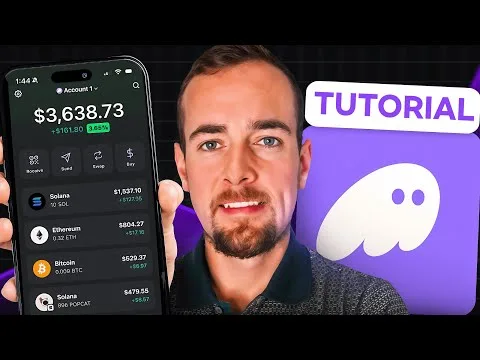
Prefer to watch? Follow along
Two super easy videos. Pause the video, do the step on your phone, press play again.
Stay safe, three rules
- Your recovery phrase is the keys to the vault. Never type it into a website, never send it to anyone. Tippy staff and mods will NEVER ask for it.
- Only withdraw to an address you copied inside your own app. Double check the first and last characters before you send.
- Your address stays private. Withdrawals only happen in DMs, and Tippy never publishes member wallet addresses anywhere, including the public dashboard.
$deposit in Discord to get the bank address, then send SOL to it from your app. The first time, DM Tippy the transaction signature so it can link your wallet. After that, deposits from your wallet land in your Tippy balance automatically.